


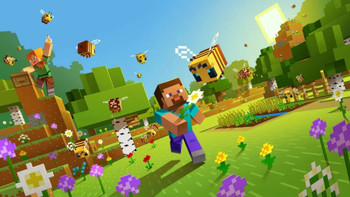

MINECRAFT: JAVA & BEDROCK EDITION PC
Minecraft Java & Bedrock is the best of both worlds: Minecraft. Now you can connect with players on Windows 10, Xbox One, Nintendo Switch, in virtual reality, and on mobile devices, all while playing with thousands of players via massive multiplayer servers.


 K4G
K4G
 Loaded
 Driffle
 G2A
G2A
 Electronic First
 Pixmania
| Price history for Minecraft: Java & Bedrock Edition (PC) Microsoft Store Key - GLOBAL | |
|---|---|
|
Latest updates:
|
|
 Instant Gaming
 HRK
HRK
 Kinguin
 Gamivo
 Gamesplanet
 2Game
2Game
 All You Play
 Amazon
 Fnac
Fnac
| Price history for Minecraft: Java & Bedrock Edition (PC) Microsoft Store Key - GLOBAL | |
|---|---|
|
Latest updates:
|
|

16,34 €
Description
Description of Minecraft Java & Bedrock Edition PC
Dive into the infinite world of Minecraft! With this official key, you get both Minecraft Java Edition and Minecraft Bedrock Edition For Windows PC. Build, explore, survive and create anything you can imagine, alone or in multiplayer.
Why buy Minecraft on Tendance Gaming?
- ✅ Official Mojang/Microsoft 100% Key
- 💸 Ultra competitive price
- 🔒 Secure payment
- ⚡ Instant delivery by email
- 🌍 Global version, activated everywhere
Offer contents
✔️ Access to Minecraft Java Edition (unlimited modding, custom servers)
✔️ Access to Minecraft Bedrock Edition (cross-play console & mobile)
FAQ – Frequently Asked Questions
When will I receive my key?
As soon as your payment is validated, your Minecraft key will be sent by email within minutes.
How do I activate Minecraft Java & Bedrock?
Go to minecraft.net, Sign in with your Microsoft account, then enter the key you received to download and play immediately.
Is this an official version?
Yes! Tendance Gaming only sells keys official and verified, delivered instantly after purchase.
Order now and start your Minecraft adventure today!
- Diversity
- Multiplayer
- Creativity
- Leave your comments and reviews to share your concerns.
Additional information
Specification: MINECRAFT: JAVA & BEDROCK EDITION PC
|
MINECRAFT: JAVA & BEDROCK EDITION PC Videos
Price History
| Price history for Minecraft: Java & Bedrock Edition (PC) Microsoft Store Key - GLOBAL | |
|---|---|
|
Latest updates:
|
|
Reviews (21)
21 reviews for MINECRAFT: JAVA & BEDROCK EDITION PC
Add a review
You must be logged in to post a review.


 French
  English
Amazon customer –
Avoid at all costs. Three calls and still no refund after endless back-and-forth between Amazon and Microsoft, who keep passing the buck. We were told to be patient, and now I can't even file a complaint; everything is designed to discourage us. Run away!
David R –
Code already provided, therefore doesn't work and no refund. The codes don't work and it's impossible to get a refund. Avoid at all costs.
Fabienne Sauthier –
I have a problem. I bought something but couldn't use it; I was charged again by Microsoft. How can I get a refund? Sincerely,
Alexandre Villaeys –
The code is incorrect. The code will not work.
Anonymous –
Great game. I'm only leaving a comment to unlock an achievement!
Anonymous –
Great game. I'm only leaving a comment to unlock an achievement!
Anonymous –
Great game. I'm only leaving a comment to unlock an achievement!
Anonymous –
Well, how can I put it? It's Minecraft, it's awesome! The graphics are excellent! And I love Minecraft!! [TUTORIAL] For those who don't know how to install it: You buy the game and you get a code ****-****-****-****, then you're told to go to minecraft.net/login, you log in or create a Mojang or Microsoft account, then you click on "Redeem" on the Minecraft website, there are two buttons, you only take the one on the left, you enter the code that was given to you on Instant Gaming, and you're told to install the Minecraft Launcher, you install it and that's it, you wait for it to download and enjoy Minecraft!!
Anonymous –
Well, how can I put it? It's Minecraft, it's awesome! The graphics are excellent! And I love Minecraft!! [TUTORIAL] For those who don't know how to install it: You buy the game and you get a code ****-****-****-****, then you're told to go to minecraft.net/login, you log in or create a Mojang or Microsoft account, then you click on "Redeem" on the Minecraft website, there are two buttons, you only take the one on the left, you enter the code that was given to you on Instant Gaming, and you're told to install the Minecraft Launcher, you install it and that's it, you wait for it to download and enjoy Minecraft!!
Anonymous –
Well, how can I put it? It's Minecraft, it's awesome! The graphics are excellent! And I love Minecraft!! [TUTORIAL] For those who don't know how to install it: You buy the game and you get a code ****-****-****-****, then you're told to go to minecraft.net/login, you log in or create a Mojang or Microsoft account, then you click on "Redeem" on the Minecraft website, there are two buttons, you only take the one on the left, you enter the code that was given to you on Instant Gaming, and you're told to install the Minecraft Launcher, you install it and that's it, you wait for it to download and enjoy Minecraft!!
Viane –
Disgusted. I'm really disappointed! Nothing works!! How do I get a refund?
Moliner –
Scam. I can't get the game; no link works, nothing happens. All I get is an explanation: a code that doesn't activate the game. I demand a refund as soon as possible because this isn't right.
Bordeaux –
Do not buy. Does not work!! Please refund me!!
Marianne Vaglienti –
Refund. Hello, I would like a refund because my son bought this item but doesn't own an Xbox, so this download is unusable for us. Sincerely.
Huau –
A game for my daughter. She likes the game.
Climate –
Minecraft: it needs no introduction. This game is now a classic; it's digital Lego and so much more. Here, it was purchased using a code that was activated online—simple and efficient.
Boulais –
Great. Does the job.
Future_Roader2@ –
Great. Great.
Christel –
Never used. My son was never able to download the software and therefore never played it. Imagine his disappointment! I was forced to buy the game again… Totally unhappy with my purchase
Corinne –
Minecraft software. Finally found it! My grandson loves it. Easy to install.
Raphael Stoica –
A must-have game. Minecraft, created by Markus Persson (aka Notch) and developed by Mojang Studios, is a sandbox video game that has made its mark on video game history since its initial release in 2009. The game offers several modes, the most popular of which are: 1. Survival Mode: Players must collect resources, build shelters, and survive against hostile creatures such as zombies, skeletons, and Creepers. Managing health and hunger is crucial. 2. Creative Mode: Players have unlimited access to all resources and can fly. This mode encourages free building and experimentation without the constraints of survival. 3. Hardcore Mode: A variant of Survival Mode with a higher level of difficulty and only one life. If the player dies, the world is deleted. - Blocks and Resources: The world of Minecraft is composed of blocks of various materials (dirt, stone, wood, etc.). Players can mine these blocks to obtain resources and create items. - Construction: Players can build complex structures, from simple houses to replicas of entire cities, thanks to a simple yet powerful block placement mechanic. - Crafting: Players combine resources to create tools, weapons, armor, and other items necessary for survival and construction. - Exploration: Minecraft worlds are vast and varied, including different biomes such as forests, deserts, mountains, and oceans. Each world is procedurally generated, offering a unique experience with every new game. Since its release, Minecraft has received numerous updates that have added new blocks, creatures, and features. Notable updates include: - The Aquatic Update: Introducing new ocean-related elements, such as dolphins, shipwrecks, and seaweed. - The Nether Update: A complete overhaul of the Nether, with new biomes, creatures, and materials. - Caves & Cliffs Update: Improvements to the cave and mountain systems, adding new geological formations and creatures like goats and axolotls. Minecraft is not just a game, but an educational tool and a means of creative expression. It is used in classrooms to teach concepts in mathematics, geography, and programming. The active player community constantly creates and shares mods, custom maps, and texture packs, continually enriching the game. Minecraft, in its Java Edition, offers a rich and diverse multiplayer experience, allowing players to connect, collaborate, and compete in shared worlds. Here is a detailed overview of multiplayer in Minecraft Java Edition: Server Access and Hosting 1. Public Servers: Players can join public servers that offer a variety of gameplay experiences, ranging from classic survival servers to specialized minigame servers. These servers are accessible via a simple IP address. 2. Private Servers: Players can create their own private servers to play with friends or a small community. These servers can be hosted locally on a personal computer or via online hosting services. 3. Realms: Mojang also offers a subscription service called Realms, which allows players to easily create private servers without having to worry about the technical setup. Realms are ideal for small communities and close friends. Multiplayer Game Modes 1. Cooperative Survival: Players can team up to gather resources, build bases, and fight monsters together. Cooperation is essential for survival and thriving in hostile environments. 2. Competition: Many multiplayer servers offer competitive game modes, such as Factions, where players form groups to conquer territories and fight other factions. Popular minigames include building battles, races, and fast-paced survival games. 3. Community Creative: Creative mode servers allow players to build together without resource limits. These servers are often used for large-scale collaborative projects, such as cities, replicas of famous landmarks, or themed worlds. Modifications and Customization 1. Plugins: Java servers can use plugins to add extra features and gameplay mechanics. Popular plugins include economic systems, role-playing game (RPG) mechanics, and terrain protection mechanics. 2. Mods: Players can also install mods on Java servers to completely transform the game. This includes mod packs like Feed the Beast or Tekkit, which add new blocks, creatures, and complex gameplay systems. Communication and Interaction 1. In-Game Chat: Players can communicate via in-game text chat. Many servers also use plugins to enhance the chat experience, such as private rooms, global messaging, and custom commands. 2. Voice Chat: While not integrated by default, players often use third-party applications like Discord or TeamSpeak to communicate by voice, facilitating coordination and collaboration. Community Events and Activities: 1. Weekly/Monthly Events: Many servers host regular events to keep the community engaged, such as tournaments, building contests, or special missions. 2. Updates and New Features: Server administrators can add regular updates and new features to maintain player interest, introducing new challenges, features, or areas to explore. In short, Minecraft Java Edition's multiplayer mode offers a wide range of social and gameplay experiences, supported by a vibrant community and robust support for modifications and customization. Whether collaborating on creative projects, surviving together, or competing in intense tournaments, Minecraft Java Edition continues to provide a rich and immersive platform for players worldwide. In short, Minecraft is a game of endless possibilities, allowing players to build, explore, and survive in a uniquely generated world. Its inherent simplicity combined with almost limitless depth makes it a game that continues to captivate and inspire millions of players around the globe.